Hack The Box "Redeemer" Walkthrough

Which TCP port is open on the machine?
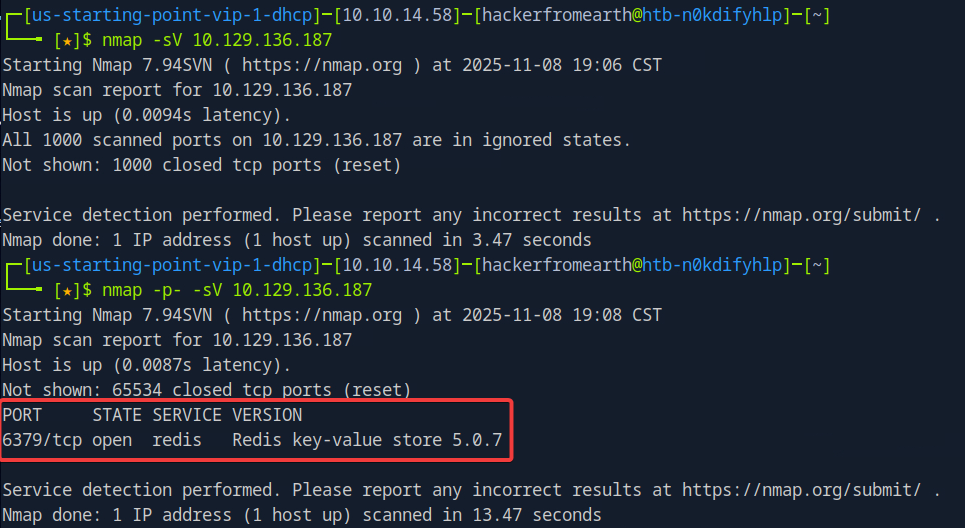
6379 - As we can see I tried to do the standard “nmap -sV {target ip}” command we’ve been using up until now but this gave me no results and rightfully so as this will only scan the default port range (the top 1,000 most common ports). We had to then use the -p- switch to scan ALL ports from 1-65535 to get results as our port was in the 6000 range.
Which service is running on the port that is open on the machine?
redis - As pictured in the image above. Redis is an in-memory data structure store that is used as a high-performance database, cache, and message broker.
What type of database is Redis? Choose from the following options: (i) In-memory Database, (ii) Traditional Database
In-memory Database
Which command-line utility is used to interact with the Redis server? Enter the program name you would enter into the terminal without any arguments.
redis-cli - This is the command line utility which helps interact with the Redis service. You may have to install it if you don’t have it already with command “sudo apt install redis-tools”.
Which flag is used with the Redis command-line utility to specify the hostname?
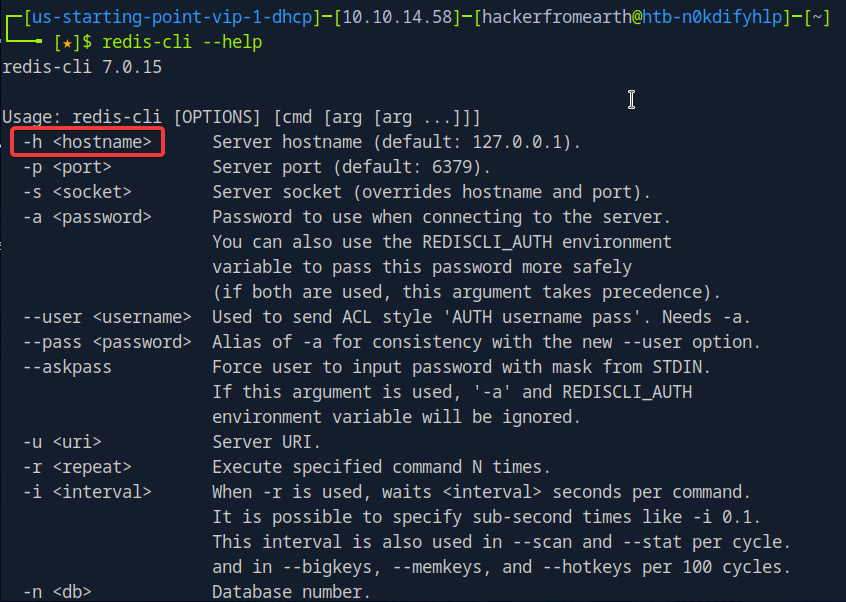
-h - As pictured below once we have our redis-cli utility installed we can run the following command “redis-cli —help” to receive a list of all possible switches for the tool and their description.
Once connected to a Redis server, which command is used to obtain the information and statistics about the Redis server?
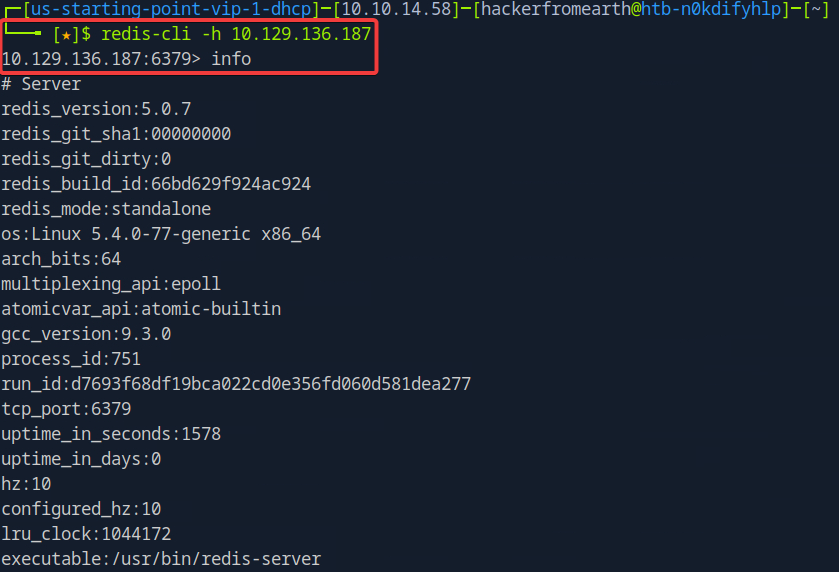
info - Let’s go ahead and get connected to the Redis server by utilizing the command “redis-cli -h {target ip}. If you weren’t sure which command to use to answer the question, you can also Google how to obtain information about/on a Redis server.
What is the version of the Redis server being used on the target machine?
5.0.7 - Can be seen in the screenshot from the first question and also in the last question.
Which command is used to select the desired database in Redis?
select - Towards the bottom of the command we used in question 6, is the ‘Keyspace’ section which provides statistics on the main directory of each database. The statistics include the number of keys, and the number of keys with an expiration. As seen below, we only have one database with index 0 (Image 1). We can now select the Redis logical database by using the ‘select’ command followed by the index number of the database that needs to be selected (Image 2).
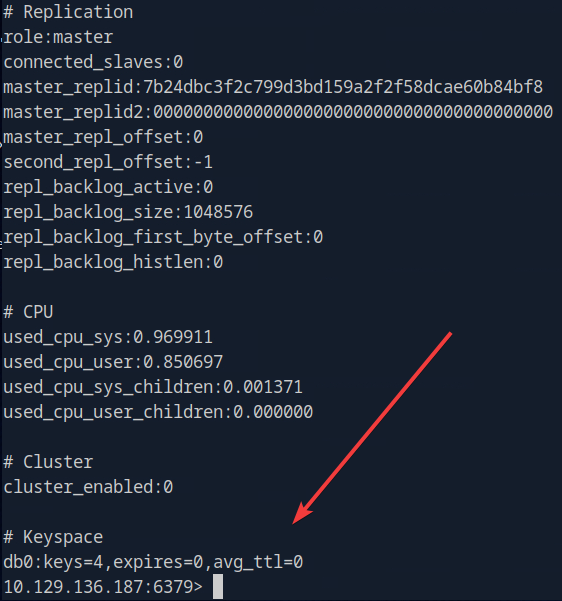
Image 1

Image 2
How many keys are present inside the database with index 0?
4 - We see this in Image 1 in the question above.
Which command is used to obtain all the keys in a database?
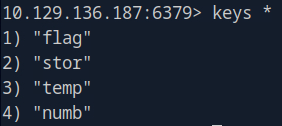
keys - To verify the answer to our last question, we can list all the keys present in the database using the command “keys \”.
Submit root flag
0—————b - We obtained the flag by using ‘get’ to get flag which of course is totally inconspicuous.


